Choosing ergonomic office recliners for your business involves more than comparing prices and attractive designs. In a busy workplace, employees may sit for long periods, answer calls, review documents, or recover between demanding tasks. A suitable recliner should support these activities without creating new discomfort. Seat depth, lumbar support, armrest height, recline control, and stable movement all deserve careful attention. Small details matter. A stiff lever can frustrate users daily.
Businesses also need to consider space, cleaning routines, durability, and different body shapes. A compact recliner may suit a private office but feel restrictive in a shared wellness area. Breathable fabric can improve comfort, while wipeable surfaces may simplify maintenance. However, appearance can mislead. A polished showroom model may not perform well after months of constant use. Real workplace testing provides stronger evidence than photographs or promotional claims.
A practical selection process should include employee feedback, sample trials, and clear supplier documentation. Invite users to test each chair for at least several minutes, including upright work and full reclining. Observe posture, pressure points, adjustment range, and ease of return. A qualified ergonomics professional can help assess fit and workplace risks. Warranty coverage, replacement parts, weight capacity, and service response also reveal a supplier’s reliability. No chair solves every problem. Our first shortlist may still be wrong. That is useful information, not failure. The best ergonomic office recliners support comfort, productivity, and responsible purchasing decisions without forcing every employee into the same seating experience.
Defining your business’s needs should happen before comparing ergonomic office recliners. Start with the people who will use them. A customer service employee may sit for eight hours, while a design specialist may recline during short creative breaks. Record daily sitting time, user height ranges, existing back complaints, and the tasks performed in each workspace. Ask employees directly. Their answers often reveal problems that spreadsheets miss.
Measure the room carefully. A recliner needs clearance behind the backrest and beside the armrests. Check desk height, walkway width, floor strength, and storage locations. Decide whether users need adjustable lumbar support, a footrest, breathable upholstery, or a headrest. For shared offices, simple controls and durable surfaces matter. For private rooms, deeper reclining may be appropriate. Test several settings with real employees, not only managers.
Set a realistic budget that includes delivery, cleaning, repairs, and replacement parts. A low purchase price can become expensive after repeated maintenance. Review safety documentation and ask a qualified ergonomics professional to assess high-use areas. Trial the recliners for several days. One model may feel excellent for ten minutes but create pressure after an afternoon. I have seen teams choose attractive chairs too quickly. That mistake is easy to repeat. Record feedback, compare it with usage data, and adjust the specification before ordering in quantity.
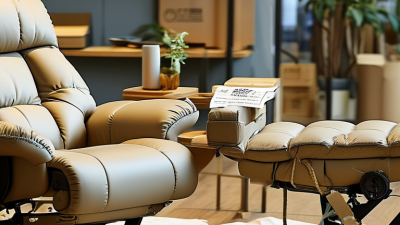
Choosing an ergonomic office recliner for business use requires more than a soft seat. Posture support should keep the head balanced, shoulders relaxed, and lower back gently supported. A recliner that feels comfortable for five minutes may still create pressure after two hours.
Check whether the backrest, seat depth, armrests, and footrest adjust independently. Users have different heights, leg lengths, and working habits. The seat should allow both feet to rest firmly on the floor when upright. In a reclined position, the hips should remain stable instead of sliding forward. Smooth controls matter too. Complicated levers often remain untouched.
During a workplace trial, ask employees to use the chair with a laptop, keyboard, and phone. Observe whether they lean toward the screen or twist their necks. Comfort should include fabric temperature, cushion firmness, and easy movement. A supportive chair is not always a rigid chair. Some users prefer firmer lumbar support, while others need softer contact.
Do not judge from appearance alone. Measure the chair against real desks and work routines. A small mismatch can become daily discomfort. One imperfect trial may reveal more than a polished showroom demonstration. Record feedback after several hours, not immediately. Preferences can change. Availability for adjustment should also be checked regularly, because even a well-designed recliner cannot correct poor setup habits.
Choosing an ergonomic office recliner for a business starts with its covering. Leather resists spills and usually wipes clean quickly. However, it may feel warm during long working sessions. Polyurethane offers a similar appearance at a lower cost, but low-grade surfaces can crack near seams. Woven fabric feels breathable and comfortable, yet it can hold dust, coffee stains, and odors. Mesh improves airflow, although damaged mesh is difficult to repair neatly. No material wins every test.
Durability depends on more than upholstery. Inspect the frame, base, stitching, foam density, and reclining mechanism. A steel frame often handles shared-office use better than a lightweight composite frame. High-density foam can retain support after repeated sitting, but overly firm foam may reduce comfort. Check the rated usage cycle and weight capacity. These figures are more useful than attractive showroom photos. Test the recliner personally. A common mistake is judging comfort after only two minutes.
Maintenance should match the workplace routine. Wipe synthetic surfaces weekly with a mild cleaner and a soft cloth. Vacuum fabric seams and crevices regularly. Avoid harsh solvents, which can weaken coatings and discolor upholstery. Lubricate moving joints only when the manufacturer permits it. Keep service records for repairs, cleaning, and mechanism checks. Small details matter. Still, cleaning schedules are often ignored during busy periods. That weakness should influence material selection, because the easiest recliner to maintain may last longer in real office conditions.
Choosing an ergonomic office recliner starts with the room, not the catalogue. Measure the chair upright and fully reclined. Leave clear space behind it for movement and cleaning. A narrow walkway can become a daily hazard. Check door widths, desk positions, power outlets, and nearby storage before ordering.
Safety needs practical testing. Look for a stable base, controlled reclining, supportive armrests, and smooth edges. The footrest should open without striking another chair. Staff should reach the adjustment controls while seated. A sample chair is valuable; specifications cannot reveal every awkward movement. Test it with different body sizes and work shoes. Small details matter.
Accessibility also affects workplace compatibility. Keep an unobstructed route beside the recliner, especially for mobility devices. Controls should use clear symbols, light pressure, and readable contrast. Consider users who need frequent position changes or extra lumbar support. The chair should suit the work routine, whether used for calls, recovery breaks, or quiet tasks. Fabric choice affects cleaning, heat, and shared use. It is easy to overfocus on comfort. I have seen attractive recliners block drawers and disrupt teamwork. Recheck the layout after installation; the first plan may be wrong.
Space and accessibility benchmarks to consider when evaluating recliners for offices, meeting areas, and shared workplaces.
Use these ADA planning dimensions to check whether a recliner can be positioned without blocking accessible routes, doorways, or maneuvering areas. Confirm the recliner’s stability, adjustment mechanisms, weight capacity, maintenance requirements, and compatibility with workplace policies before purchase. Dimensions are based on the 2010 ADA Standards for Accessible Design.
How to Choose Ergonomic Office Recliners for Your Business?
Cost should mean more than the invoice. Include delivery, assembly, cleaning, repairs, replacement parts, and employee downtime. The U.S. Bureau of Labor Statistics reported 888,220 nonfatal workplace injury cases involving days away from work in 2022. Not every case comes from seating, but poor support can worsen fatigue and discomfort. A recliner with adjustable lumbar support, stable armrests, and smooth controls may reduce daily strain. Measure the work area first. A beautiful recliner that blocks walkways becomes an expensive mistake.
Warranty coverage deserves close reading. Check the coverage period for the frame, mechanism, upholstery, gas lift, and electrical components. Some warranties exclude commercial use or limit weight capacity. Ask who pays for shipping and on-site labor. Request written repair timelines. A three-year warranty sounds strong, yet it may cover only structural defects. That is not enough for a busy office. Relevant office-furniture testing should also align with applicable ANSI/BIFMA requirements, where appropriate.
Long-term value needs a simple calculation: total ownership cost divided by expected service years. A 2023 U.S. Workplace Safety Index estimated that serious workplace injuries cost employers about 58.5 billion dollars annually. Seating will not eliminate that risk. Still, comfort can support retention, recovery, and focused work. My first buying plan focused too heavily on unit price. It missed cleaning time and replacement logistics. Pilot a few chairs for four weeks, record complaints, and inspect controls daily. Staff feedback is evidence, though not perfect. Decisions should remain adjustable.
| Recliner Category | Recommended Business Use | Typical Purchase Cost (USD per Unit) |
Recommended Features | Typical Warranty Coverage | Expected Service Life | Estimated Annual Ownership Cost | Business Value |
|---|---|---|---|---|---|---|---|
| Entry-Level Ergonomic Recliner | Small offices, occasional employee use, meeting rooms, and short recovery periods | $250–$450 | Adjustable backrest, padded armrests, lumbar support, locking recline positions, easy-clean upholstery | Usually 1–3 years on the frame and mechanism; upholstery and labor may have separate limits | 3–5 years | $85–$150 | Good for controlled budgets |
| Mid-Range Ergonomic Recliner | General office use, wellness rooms, home-office programs, and shared workspaces | $450–$800 | Adjustable headrest, lumbar support, seat-depth adjustment, stable five-point base, durable fabric or bonded leather | Usually 3–5 years on structural components; moving parts and upholstery may have shorter coverage | 5–7 years | $90–$145 | Best overall balance |
| Premium Ergonomic Recliner | Executive offices, long-duration use, employee recovery areas, and high-retention workplaces | $800–$1,500 | Multi-angle recline, synchronized adjustments, pressure-distributing cushioning, adjustable headrest and footrest, replaceable components | Usually 5–10 years on the frame; mechanisms, gas lifts, electronics, and upholstery may carry separate terms | 7–10 years | $115–$190 | Strong long-term value |
| Heavy-Use Commercial Recliner | Healthcare offices, 24-hour operations, call centers, hospitality areas, and high-traffic employee lounges | $1,200–$2,200 | Commercial-grade frame, reinforced recline mechanism, stain-resistant upholstery, high weight capacity, replaceable wear parts | Often 5–10 years on the frame and structure; confirm coverage for continuous or multi-shift use | 8–12 years | $140–$230 | Best for demanding environments |
| Refurbished Commercial Recliner | Start-ups, temporary offices, pilot programs, and businesses prioritizing lower initial expenditure | $150–$400 | Inspected frame, restored upholstery, tested reclining mechanism, replacement parts availability, documented refurbishment process | Commonly 90 days to 1 year; coverage depends heavily on the refurbishment provider | 2–5 years | $75–$160 | High initial-cost efficiency |
| Powered Ergonomic Recliner | Accessibility-focused spaces, rehabilitation areas, executive wellness rooms, and users requiring assisted adjustment | $900–$2,000 | Quiet electric motor, hand control, emergency return function, accessible controls, battery backup option, serviceable electronics | Usually 2–5 years on electrical components and 5–10 years on the frame; motor and control-unit coverage should be verified | 6–10 years | $130–$240 | High accessibility value |
| Planning assumptions: Prices are typical budgeting ranges in USD before tax, delivery, installation, and custom upholstery. Estimated annual ownership cost is calculated from the midpoint of the purchase range divided by the midpoint of the expected service life, with a modest allowance for routine cleaning, adjustment, and minor repairs. Actual warranty terms vary by supplier and contract; confirm coverage for frame, mechanism, upholstery, electrical parts, labor, shipping, weight limits, and commercial or continuous-use conditions before purchasing. | |||||||